How to make a backing or karaoke track from any song
Updated · 6 min read
A backing track is a song with one part taken out, so you can fill it: the voice for karaoke, the drums for a drummer, the bass for a bassist. You can make one from a song file or a video on your phone or computer, free and without uploading it. This guide covers which part to take out, the steps, keeping a faint guide vocal, moving the song into your key, and what no splitter can do yet, with split times measured on real devices and our own scored test.
Which part to remove
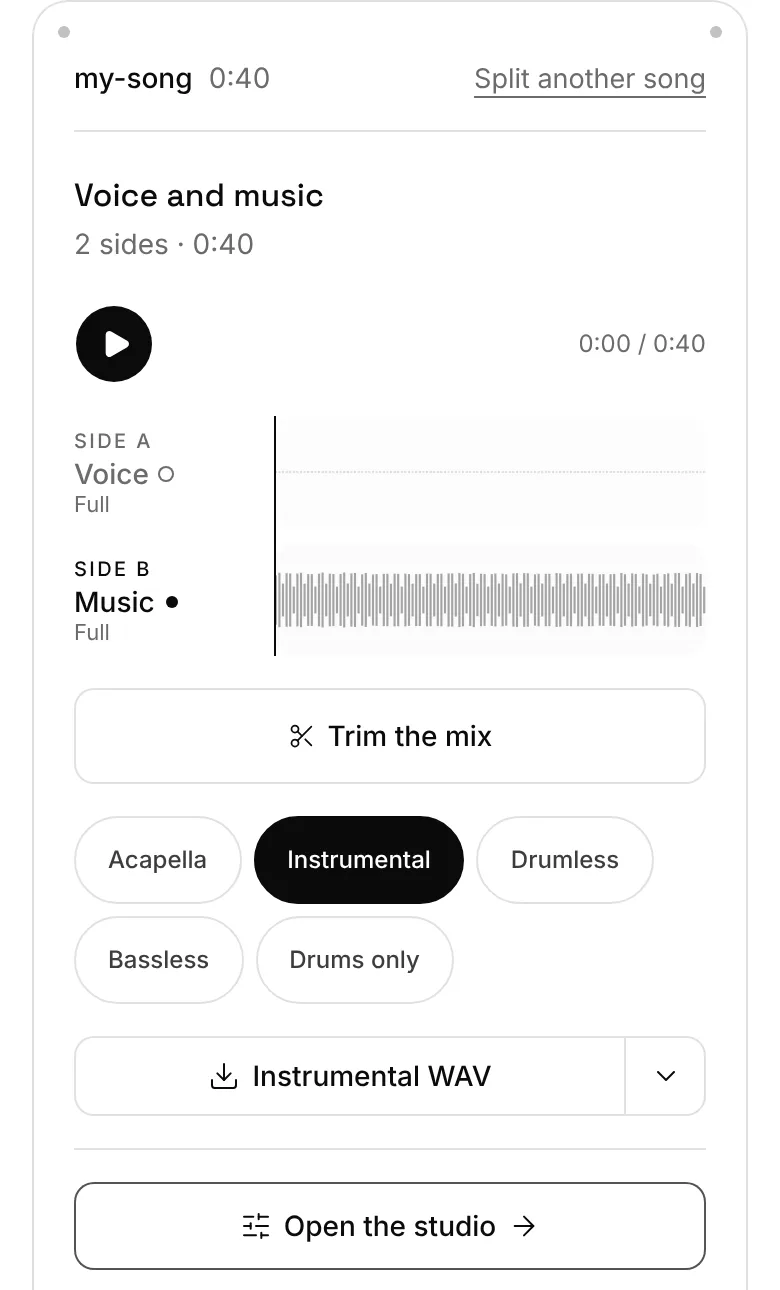
Extractune splits a song into four parts: the voice, the drums, the bass, and everything else (guitars, keys, synths, strings and the rest, together, called Other). A backing track is the song with one of those turned off. There's a one-tap mix for the common ones, and a fader for each part when you want something in between.
The catch for guitarists and keyboard players: guitar and piano aren't split apart. They share Other, so you can't take out only the guitar and keep the piano. What you can do is keep Other alone to study what the band plays, or turn it down so your own part sits on top.
| You play or sing | Take out | The one-tap mix |
|---|---|---|
| Lead vocals (karaoke) | Voice | Instrumental |
| Drums | Drums | Drumless |
| Bass | Bass | Bassless |
| Rap or singing over a beat | Voice, and maybe Other | Instrumental, then turn Other down |
| Guitar or keys | Other, partly (guitar and piano share it) | Your mix: turn Other down |
| Learning a vocal line | Everything but the voice | Acapella |
Step by step on a phone
- 1Open extractune.com/karaoke-maker in Chrome or Safari (or the drumless track page, for a drumless or bassless track). The tool is at the top of the page.
- 2Tap Choose a file and pick the track you want to play along with: an audio file, or a video that has it. The first split downloads the separation engine once, about 90MB, so do it on Wi-Fi.
- 3The sound comes out of the file and the split starts by itself, with the page's mix already picked. Keep the page open; you can listen to the first parts while the rest finish.
- 4When it's done, the four parts sit on one timeline. Play it and check the mix; open the Split tab to change it.
- 5Tap the download at the top of the studio to save the mix as MP3. For WAV or WebM, pick the format on the Split tab first.
How long the split takes
Splitting happens on the device in your hand, not on a server, so a fast laptop and an older phone are worlds apart. Without a usable graphics chip the cap is 2 minutes per split, which matters for a backing track: trim to the verse and chorus you'll rehearse rather than the whole song. Here is the arithmetic for our 3:18 test song, "Just Lucky, I Guess" by Mr_Yesterday (CC BY 4.0):
Split times by device, measured on visitors' phones and computers
| Device | Splits measured | The whole 3:18 song |
|---|---|---|
| Computer with a graphics chip | 190 | about 1½ minutes |
| Phone with a graphics chip | 65 | about 5 minutes |
| Computer without one | 18 | Over the 2-minute limit: a 2-minute stretch takes about 3 minutes |
| Phone without one | 15 | Over the 2-minute limit: a 2-minute stretch takes about 7 minutes |
Keep a faint guide vocal: the fader
Switching the singer off completely is great for the performance and harder for learning: without the original line to lean on, it's easy to drift off the melody or come in a bar late. A quieter original voice under yours fixes that. Each part on the Split tab has its own level slider, from silent to full in fives, plus M to mute it and S to hear it alone. The voice slider answers straight away, so you can set it by ear while the chorus plays.
Pull it down until you can only just hear the singer under your own voice. When you've got the song, mute it. Whatever balance you leave is what gets saved, under the name Your mix unless it matches one of the one-tap mixes.
Players can borrow the idea: a drummer learning the fills can leave the recorded kit low underneath, then drop it out for a full run-through.
Put it in your key
Song too high or too low? Change its key after the split. Set the key on the Practice tab (up to 12 semitones either way; the tempo doesn't move), then return to the Split tab: its download renders your backing mix at that key. The Practice tab's own download is built from the original file, so it still has the singer in it.
How far to move it depends on your range and the song's melody. If you don't know your range, the vocal range test takes a minute; the key guide shows how to work out the number of semitones.
Slow it down to learn the song first
A part you can't yet play at full speed is easier to learn slower. On the Practice tab, Speed goes from 50% to 150% without changing the pitch, so the song stays in its key. Loop the hard bars with A and B, and let the loop speed up a little on each pass until you're back at 100%.
Play it at a party
The track you download is an ordinary MP3 (or WAV or WebM), so it plays through whatever you already have: a Bluetooth speaker, a cable from your phone to a stereo, or a TV or speaker that can play from your phone. Play it from the Files app or your music player like any other song. We haven't tested every speaker and TV, so use the way you'd normally play music from your phone.
For the words, Get the words on the Words tab writes out what's sung as timed lines you can read along with. It's a transcript of the recording, so it can mishear, and it's the one feature that sends audio out: only when you tap it, the compressed sound is sent to be transcribed.
How clean is it? Our test
On 6 November 2026 we split "Just Lucky, I Guess" by Mr_Yesterday, a song whose artist published its own stems, with Extractune and with vocalremover.org on one computer, and scored each result against those stems with SI-SDR, a measure of how close a separated part is to the real one. Higher is cleaner; every 10 dB means the leftovers are ten times weaker, in energy, against the part itself. Extractune's instrumental scored 8.31 dB, vocalremover.org's 6.38 dB, and the unsplit song, scored as if it were the instrumental, −2.06 dB.
So a good split removes most of the voice, but not all of it. You can hear a 20-second excerpt of this exact test, the original, the instrumental and the vocals, on the vocal remover page. One song on one computer is a small test; the comparison page has the full method.
The full test, method and numbers
| Tool | Vocals | Instrumental | Time for the 3:18 song |
|---|---|---|---|
| Extractune | 10.76 dB | 8.31 dB | About 27 s, nothing uploaded |
| vocalremover.org | 9.79 dB | 6.38 dB | About 24 s, upload included |
| The song itself, not split | 0.64 dB | −2.06 dB | No split |
What it can't do
Backing vocals go with the voice. The model hears every singer as voice, so a karaoke track loses the harmonies too, and lead and backing vocals can't be pulled apart yet. If the chorus feels empty without them, try the voice at a low level instead of off.
Reverb and echo on the voice can leave a faint trace in the instrumental, most often on long held notes and at the ends of lines. A very loud voice can do the same. Listen before you download, and if a stretch bothers you, a guide vocal at a low level hides it.
Guitar and piano stay together in Other, as above. And no splitter removes noise like a crowd, wind or hiss, or separates two instruments that play the same notes.
If you want the full picture of the free vocal removers, what each one does and where another tool is the better pick, the comparison guide covers them.
Questions
Can I use a YouTube link?
Not from a link: Extractune works with files on your device, on purpose. Use a song file or a video you have and are allowed to use. Our guides to getting the audio from a screen recording or a saved TikTok or Instagram video cover the file side of it.
Will it remove the backing vocals?
Yes, they go with the voice, since the model treats every singer as voice. Lead and backing vocals can't be separated yet. Keep the voice at a low level if you want some of the harmonies.
Why is there a faint ghost of the singer?
Separation isn't perfect, here or in any tool. In our test the instrumental scored 8.31 dB against the artist's own stem: most of the voice gone, a little left, mostly where the voice is loud or has reverb.
How long does it take on my phone?
On phones that can use their graphics chip, our 3:18 test song works out at about 5 minutes on average; on a computer with a graphics chip, about 1½ minutes. Without a graphics chip, splits run up to 2 minutes at a time and take longer (see the table).
Is it free and private?
Yes. No sign-up, no watermark, and the splitting happens on your phone or computer, so the song isn't uploaded. Audio only leaves your device when you choose Get the words.